• About Us
  • Contact Us
Wednesday, May 6, 2026
  • Login
CXOTECH
No Result
View All Result
  • NEWS
  • CXO TALKS
  • Executive Moves
  • ANALYSIS
  • STRATEGY
  • HOW TO
  • NEWS
  • CXO TALKS
  • Executive Moves
  • ANALYSIS
  • STRATEGY
  • HOW TO
No Result
View All Result
CXOTECH
No Result
View All Result

YouTube Audio Renderer Error: How to Solve on Windows

Ali Ömer Yıldız by Ali Ömer Yıldız
January 30, 2024
in HOW TO
A A
YouTube Audio Renderer Error: How to Solve on Windows

The “Audio Renderer Error” error on YouTube is a problem encountered when watching YouTube videos on Windows devices that prevents the audio from playing. In this article, I will explain step by step how to fix this problem.

This error is usually related to inconsistencies or conflicts within the computer’s audio system. These problems can range from temporary errors in the web browser to more complex problems in the audio drivers. In some cases, this error is caused by conflicts between the audio device (such as headphones or speakers) and the web browser, especially if more than one audio output source is used. In other cases, the problem may be caused by an outdated or corrupt audio driver. To resolve this issue, it’s important to follow a step-by-step approach.

Basic Troubleshooting Steps to Fix YouTube Audio Renderer Error

  • Restart the Web Browser and Windows: While it may seem like a simple step, the most effective solutions are often the simplest. Restarting your computer and web browser can clear any temporary errors that may have generated the error.
  • Clear Browser Cache: Clearing your browser’s cache and cookies removes stored data and often resolves playback issues. This will log you out of most websites, so keep your login credentials handy.
  • Disconnect and Reconnect External Audio Device: If you are using an external audio device, unplug it, wait a few seconds and then plug it back in. This can reset the connection and resolve minor conflicts causing the audio rendering error.
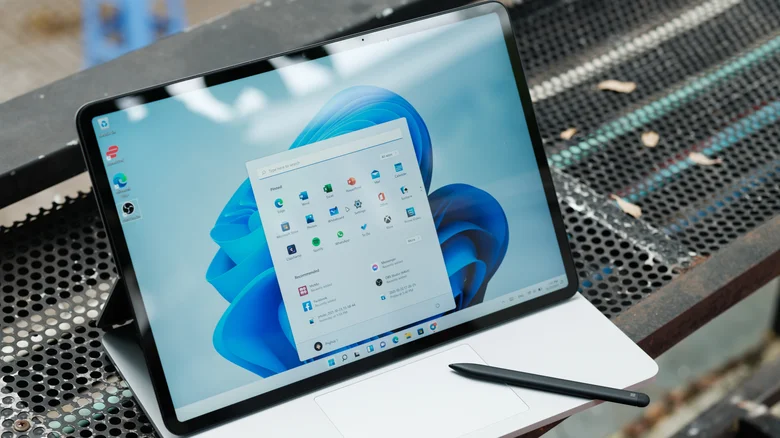
Rolling Back or Updating Driver

  • Roll Back Audio Driver: Rolling back your audio driver to an older version may solve the problem if the new driver is incompatible with your system.
  • Update Audio Driver: An outdated audio driver can also be the source of the problem. Updating your audio driver can resolve existing issues.
Other Solutions

  • Run the Windows Audio Troubleshooter: Windows includes various troubleshooters, and in this case the audio troubleshooter can be particularly helpful.
  • Disable Hardware Acceleration: Some web browsers use hardware acceleration to improve performance, but this feature can sometimes interfere with audio playback. Disabling hardware acceleration in your browser’s settings may solve the problem.

These steps are usually effective in resolving the “Audio Renderer Error” error. However, if the problem persists, it may be worth contacting an expert for further technical support.

  • LinkedIn

Source: https://www.cioupdate.com.tr/tag/sosyalmedya/youtube-audio-renderer-hatasi-windowsta-nasil-cozulur/



Post Views: 669
Tags: Audio rendererAudio renderer errorWindowsYouTube
Previous Post

Space Mission Twist: Peregrine’s Unexpected Earthbound Journey, Not Moon!

Next Post

How to Reset Apple AirTag

Next Post
How to Reset Apple AirTag

How to Reset Apple AirTag

Google: “Chrome incognito mode is not as private as you think”

Google: "Chrome incognito mode is not as private as you think"

LATEST NEWS

Nvidia and Amazon Web Services logos representing a major multi-year AI chip and infrastructure agreement
News

Nvidia and Amazon Sign Major AI Infrastructure Chip Deal

March 23, 2026

Nvidia has signed a multi-year agreement with Amazon Web Services (AWS) to supply AI chips and related infrastructure, reinforcing the...

Read moreDetails
Dana Walden announcing Disney’s new leadership structure for streaming, film, television, and games

Disney Sets New Leadership Structure for Expanded Entertainment Segment

March 18, 2026
Google Maps app interface showing immersive navigation and AI-powered trip planning features

Google Maps Gets Its Biggest Navigation Redesign in Over a Decade

March 16, 2026
Interior of an Amazon Robotics innovation hub, highlighting automation strategy and workforce restructuring

Amazon Cuts Jobs in Robotics Division Despite “Strategic Priority” Status

March 5, 2026
Claude AI app displayed in the Apple App Store on a smartphone, illustrating rising consumer adoption amid government scrutiny

Claude Hits No. 1 on Apple’s Top Free Apps List After U.S. Defense Pushback

March 2, 2026

Follow Us On LinkedIn

Categories

  • ANALYSIS
  • CIO Exclusive
  • Company Analysis
  • cxotalks
  • Executive Moves
  • HOW TO
  • News
  • STRATEGY

Tags

5G AI Amazon Android Apple Artificial intelligence chatbot ChatGPT China Chip CIO CXO Cyberattack Cybersecurity Digital Transformation Electric Car Elon Musk ElonMusk EV Facebook GITEX Google Huawei Instagram Intel iOS iPhone Japan META Microsoft NASA Nvidia OpenAI Sam Altman samsung Space SpaceX Tesla Threads TikTok TSMC Twitter Whatsapp Xiaomi YouTube
  • About Us
  • Contact Us

© 2023 CXO MEDYA

Welcome Back!

Login to your account below

Forgotten Password?

Retrieve your password

Please enter your username or email address to reset your password.

Log In
No Result
View All Result
  • About Us
  • B2B Lead Generation — Built for Enterprise Tech
  • Contact Us
  • Latest News
  • Privacy Policy
  • Tech Events & Conferences 2024

© 2023 CXO MEDYA